
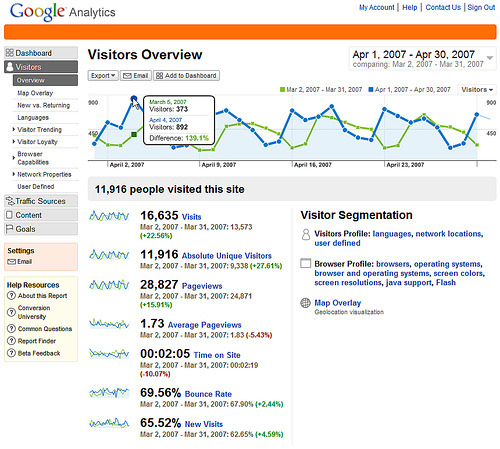
 Anyone that deals with managing a website needs to know Google Analytics inside and out. Google Analytics allows a webmaster to analyze most of the important site metrics:
- Traffic Source
- Keyword Search Results
- Page Views
- Site Activity
- Visitors vs. Unique Visitors
- Bounce Rate
- Average Time On Site
- In-Page Analytics
- Conversion Rate
- Conversion Funnel
- and more…
Initially I started using Google Analytics to help optimize my client’s SEO, but quickly I started using it to dig deeper into email marketing campaigns as well as optimizing conversions for Paid Search campaigns. Like most web masters I started dealing with Google Analytics from a high level then learning to drill down into the details based on whatever metrics I was trying to analyze. I then got into Adwords and setting up paid search campaigns, where I used the data I analyzed from Google Analytics to optimize my performance within Adwords. Since I work in the world of eCommerce I’ve experienced all aspects of Google Analytics from basic setup to integrating Google Analytics with eCommerce shopping carts and everything in between. Now Google Analytics is not the only web analytics tool on the market, there are plenty of great tools that you can use but Google Analytics offers the best free web analytics tool in my opinion. It offers great data in a user friendly interface. Now there are simplified web analytics tools out there for people that don’t want a complex interface, I will admit that Google Analytics can be intimidating to anyone that isn’t experienced in web analytics. However, there are even more complex analytics tools that are not free. Bottom line, you get what you pay for but Google Analytics is the best of the unpaid tools.